All guides
Connect your SIS with Wonde
Read-only daily sync of supported student, class and timetable data — what syncs and what setup requires.
Vero connects to your student information system through Wonde, the data-sharing layer most Australian and UK schools already use. Once it is connected, students, staff, classes and the timetable arrive every night and stay current without anyone maintaining a list.
Setting it up
- Your school approves Vero in Wonde. Whoever administers your Wonde account grants Vero access to your school. This is the step that needs a person at your end; it takes a few minutes.
- We connect it. Our team links the approval to your Vero school and runs the first full sync.
- Check the result. Open Admin → Students and Admin → Staff and confirm the numbers look like your school.
What syncs
- Students — names, year levels, houses, and photos where your SIS exposes them.
- Staff — names and email addresses, which is what makes Microsoft sign-in work.
- Classes and enrolments — so a teacher opens Vero and their classes are already there.
- Timetable — so Vero knows which lesson a student left, and can put the current class first.
The daily sync
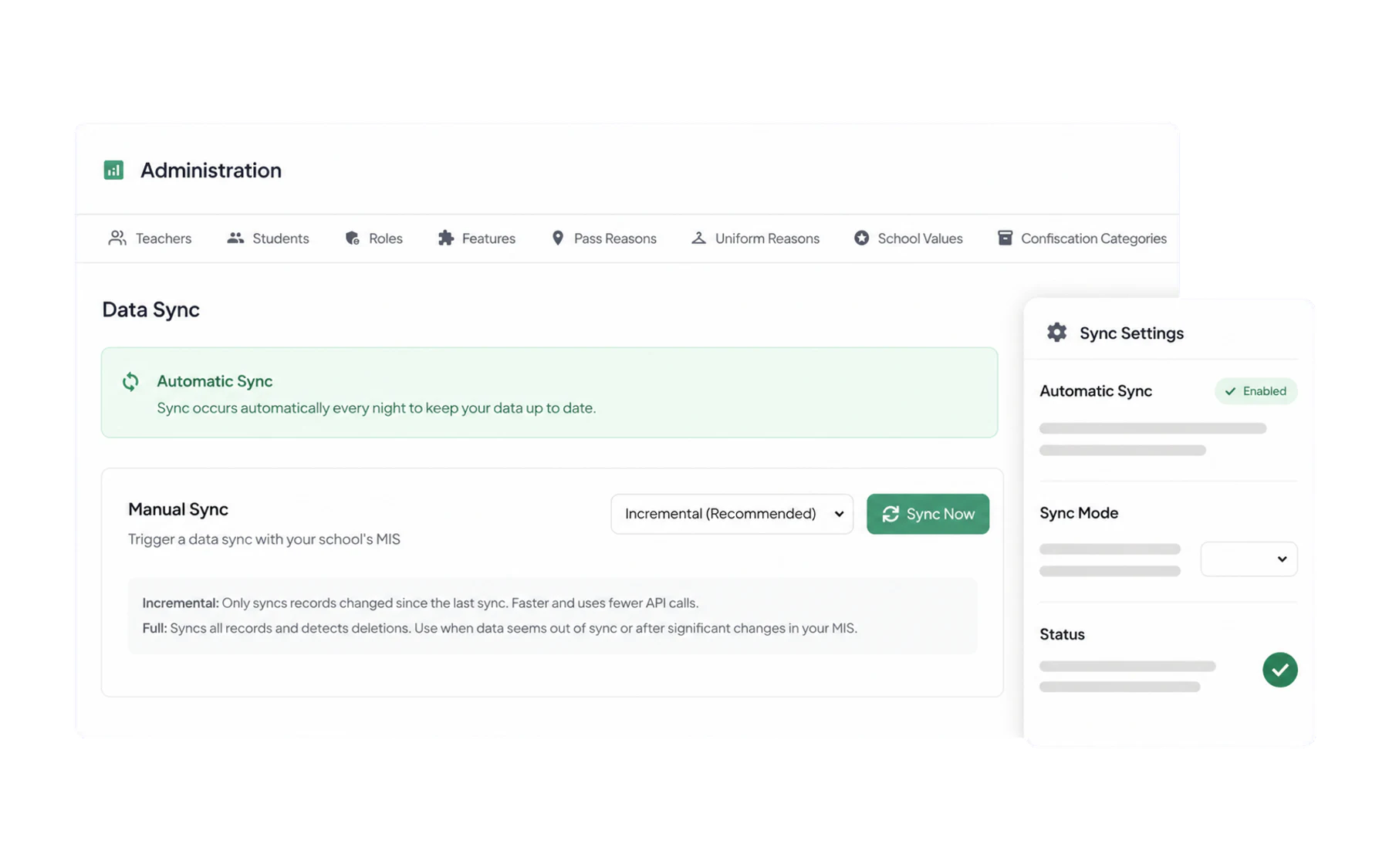
Supported data syncs daily through Wonde after approval. Timing can vary by source system and connection state. Two modes are available when you need one sooner:
- Incremental (recommended) — only what has changed since the last sync. Fast, and the right choice nearly always.
- Full — every record, and it detects deletions. Use it after a bulk change in your SIS, at the start of a school year, or when something looks out of step.
When something looks wrong
- A student is missing. Check they exist in your SIS and are in the year the SIS shares. Vero cannot invent a record Wonde has not sent.
- Classes are stale after a timetable change. Run a full sync — an incremental one may not pick up a wholesale restructure.
- A teacher’s classes are wrong. Fix the allocation in the SIS. Anything changed in Vero is overwritten that night.
- Nothing has synced for days. Usually a Wonde approval that has lapsed or been revoked. Check Wonde first, then contact us.
No SIS connection?
Schools without one run on a spreadsheet upload instead — Import users from a CSV. Everything else in Vero works identically; you just maintain the list yourself.